AI annotation
Annotate With AI. Review With Control.
AI assistance in LabelBlend proposes segmentation masks and labelled regions. You decide what becomes part of the dataset — nothing is committed without confirmation.
Before · During · After
Three states of the same annotation
The value of AI assistance is the first pass. The value of the workspace is what happens next.
Raw image
An unlabelled image loaded from your dataset folder. No annotations exist yet.
AI segmentation
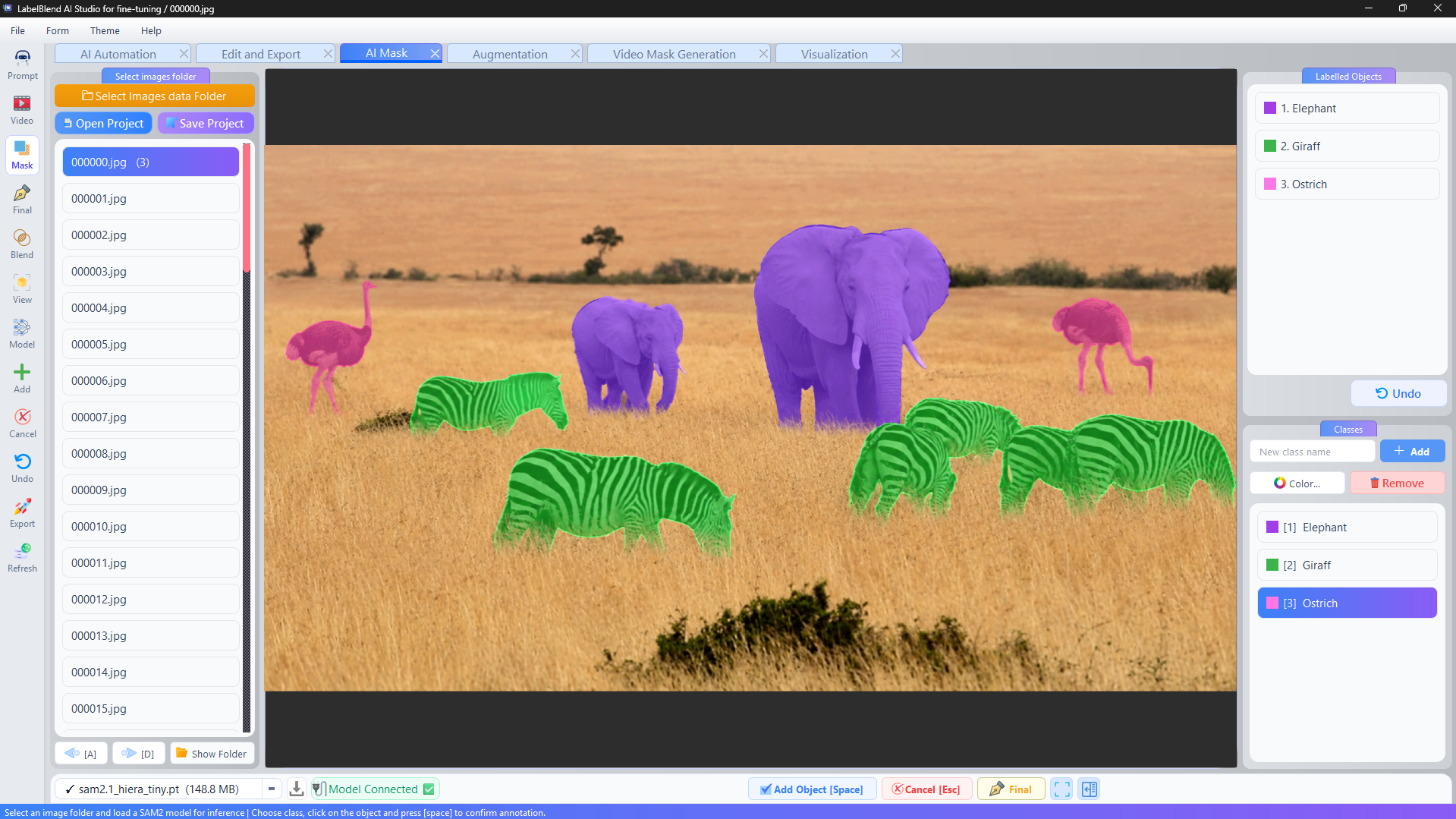
SAM2 proposes a mask for the object you clicked. The proposal is visible on the canvas and attached to a class.
Validated annotation
You confirm, adjust vertices, reassign the class, or delete the proposal. Only confirmed annotations reach the export.
SAM2
AI-Assisted Segmentation with SAM2.
Download a SAM2 checkpoint through the application, connect it, and use clicks to generate mask proposals. The checkpoint and its config file are both selectable, so you can work with the model size that fits your GPU.
- Download checkpoint→
- Connect→
- Click object→
- Add object→
- Confirm
Text-driven labeling
Describe What You Need. Automate the Repetition.
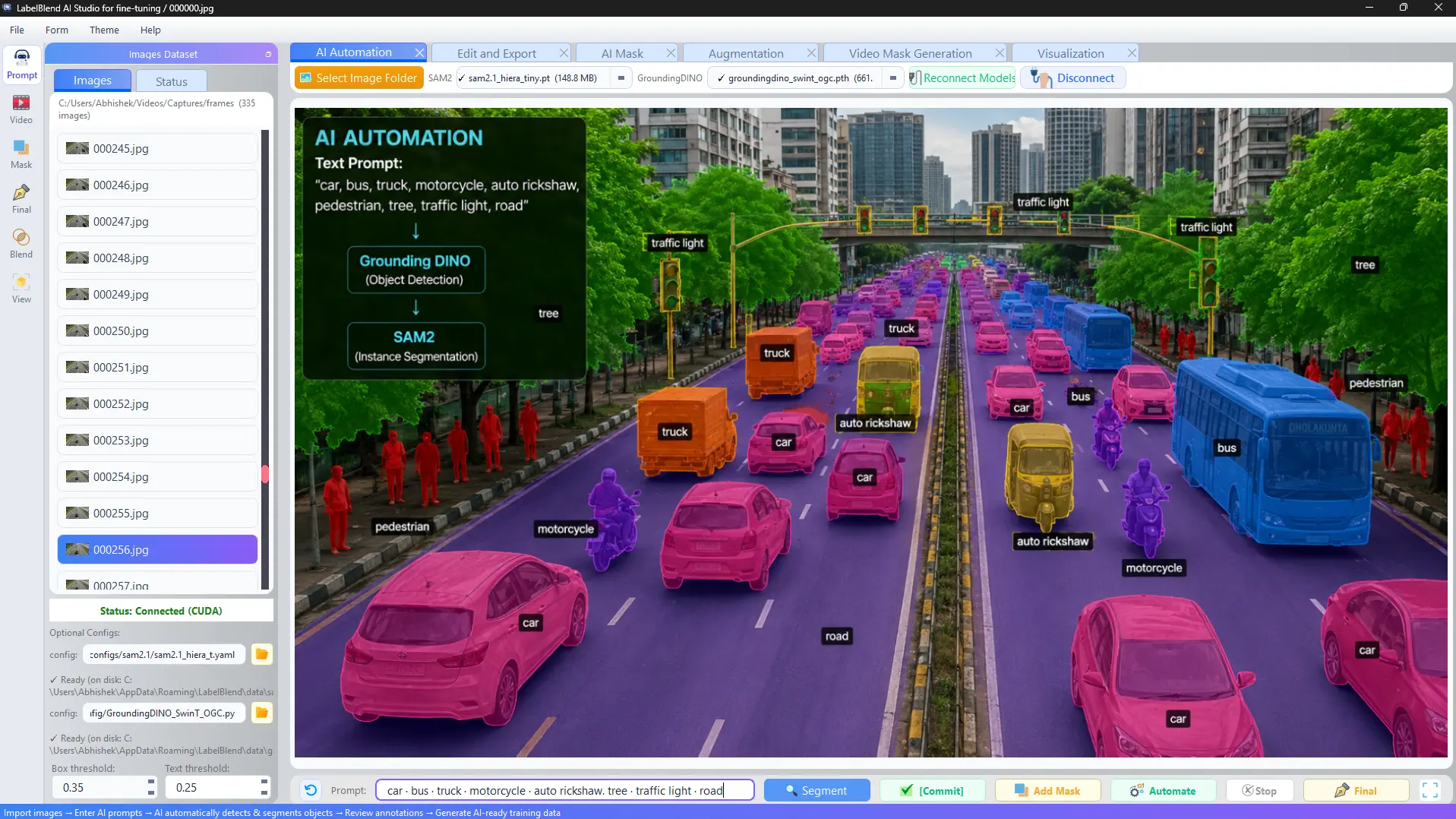
Write the classes you are looking for as short lowercase phrases and let the prompt workflow propose labelled regions across your images.
Prompt
car. person. traffic light.
↓
Multi-class labeling across the image set
↓
Reviewed, annotated dataset
- · Box threshold and text threshold control how confident a proposal must be.
- · Proposals are committed explicitly, not applied silently.
- · Results vary by phrasing, image content and scene complexity.
Manual vs. AI-assisted
Neither approach replaces the other. Most projects use both.
Manual annotation
- Full control over every vertex and class
- Predictable output for unusual or ambiguous objects
- No model download or GPU requirement
- Slower on large image sets
AI-assisted annotation
- Fast first pass on clearly separable objects
- Mask proposals instead of manual polygon drawing
- Requires model download and suitable hardware
- Always followed by human review