
Annotation editor
AI Does the First Pass. You Refine the Result.
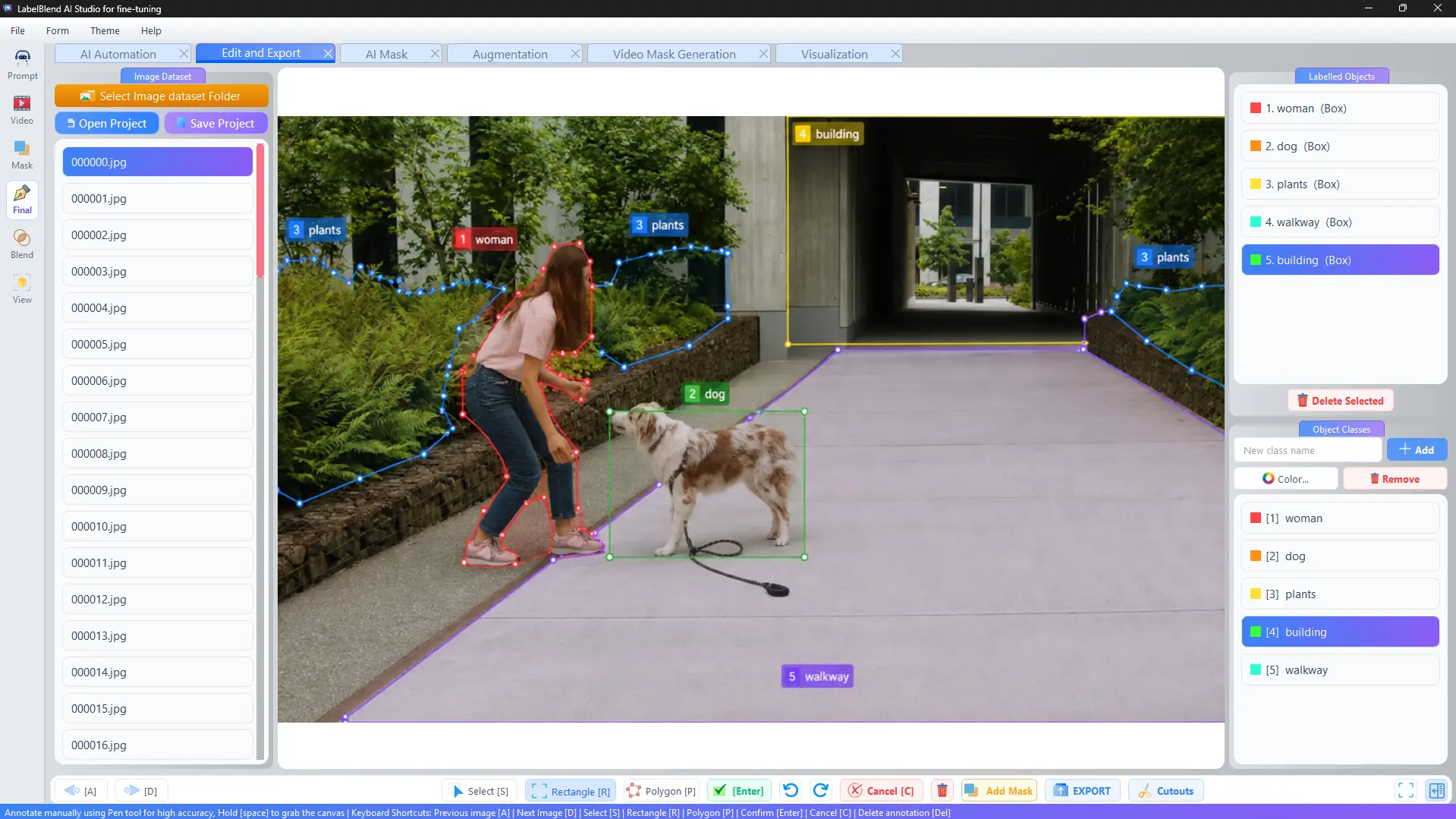
The editor is where a dataset becomes trustworthy. Open a folder of images with their labels, step through them with the keyboard, and correct anything the first pass got wrong.
Tools built for correction, not just creation
Rectangle, polygon and pen tools share one canvas. Selecting an existing annotation lets you move it, reshape it, change its class or delete it outright.
- · Rectangle mode for detection boxes.
- · Polygon and pen modes for segmentation outlines.
- · Object class list with colours so mislabels are obvious.
- · Labelled objects panel to select and delete annotations directly.
- · Undo and redo for every edit.
- · Open and save projects so a review session can be resumed.
LabelBlend for Fine-Tuning
Keyboard
Shortcuts that keep your hands on the canvas
Review speed comes from not reaching for menus. These shortcuts are shown in the application's status bar.
Previous imageA
Next imageD
Select toolS
RectangleR
PolygonP
Confirm annotationEnter
CancelC
Delete annotationDel
Grab and pan the canvasSpace (hold)