
Video to dataset
Turn Video into Training Data.
A short clip contains hundreds of usable frames. LabelBlend imports the video, tracks the objects you select across frames with SAM2, and produces an annotated image sequence you can review and export.
- Video→
- Object selection→
- Tracking→
- Frame generation→
- Dataset
Frame loading you can control
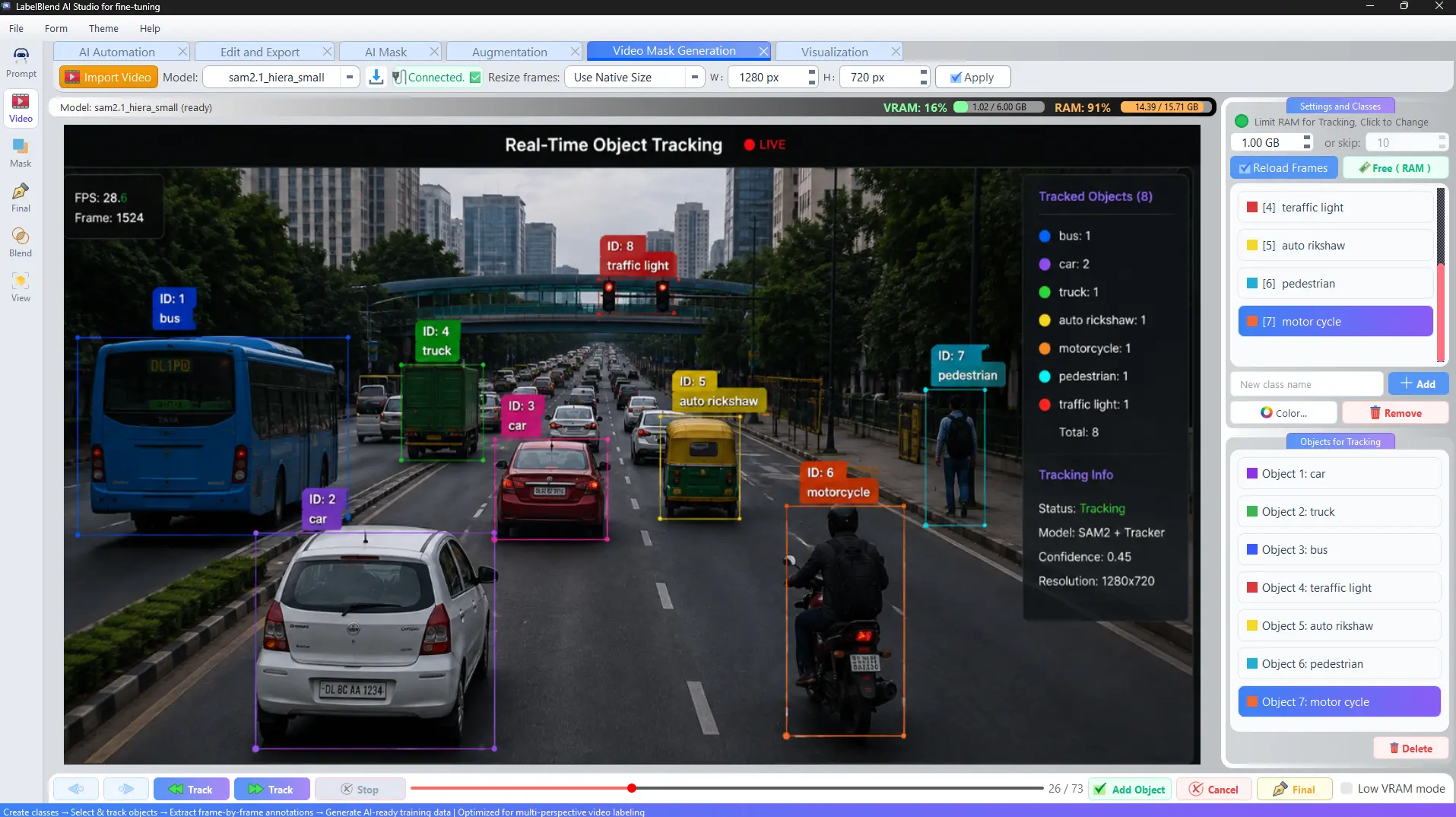
Long videos do not have to be loaded whole. Set a RAM limit for tracking or skip frames at a fixed interval, and resize frames to a working resolution before loading them.
- · Resize frames or keep native size before loading.
- · Limit RAM used for tracking, or load every nth frame.
- · Live VRAM and RAM indicators while frames are in memory.
- · Low VRAM mode for smaller GPUs.
- · Free memory and reload frames without restarting the project.
Tracking
How SAM2 tracking works here
Tracking propagates a selected object through the loaded frames so that the same instance keeps its class and identity.
1 · Load frames
Import the video and load frames into memory at your chosen resolution and interval.
2 · Add objects
Select the objects to follow and assign each one a class from your class list.
3 · Track
Run tracking forward or backward through the loaded frames.
4 · Generate
Review the resulting per-frame annotations and export them as a dataset.
Also useful: frame extraction
If you only need images rather than tracked annotations, the Blend workspace can extract frames from a video with a stride, output format, JPEG quality and CPU thread count of your choosing.