Features
Everything needed to take a dataset from raw media to export.
LabelBlend AI Studio is organised as a set of connected workspaces — Prompt, Video, Mask, Edit, Blend and View — that share the same project, classes and output folders.
Annotate With AI. Review With Control.
AI can propose masks and labels while you stay responsible for the final annotation. Every AI result lands on the same canvas as manual work, so accepting, editing or deleting a proposal is part of the normal workflow rather than a separate import step.
Use case: a detection dataset where most objects are obvious, but a subset needs careful manual correction.
- Raw image→
- AI segmentation→
- Validated annotation
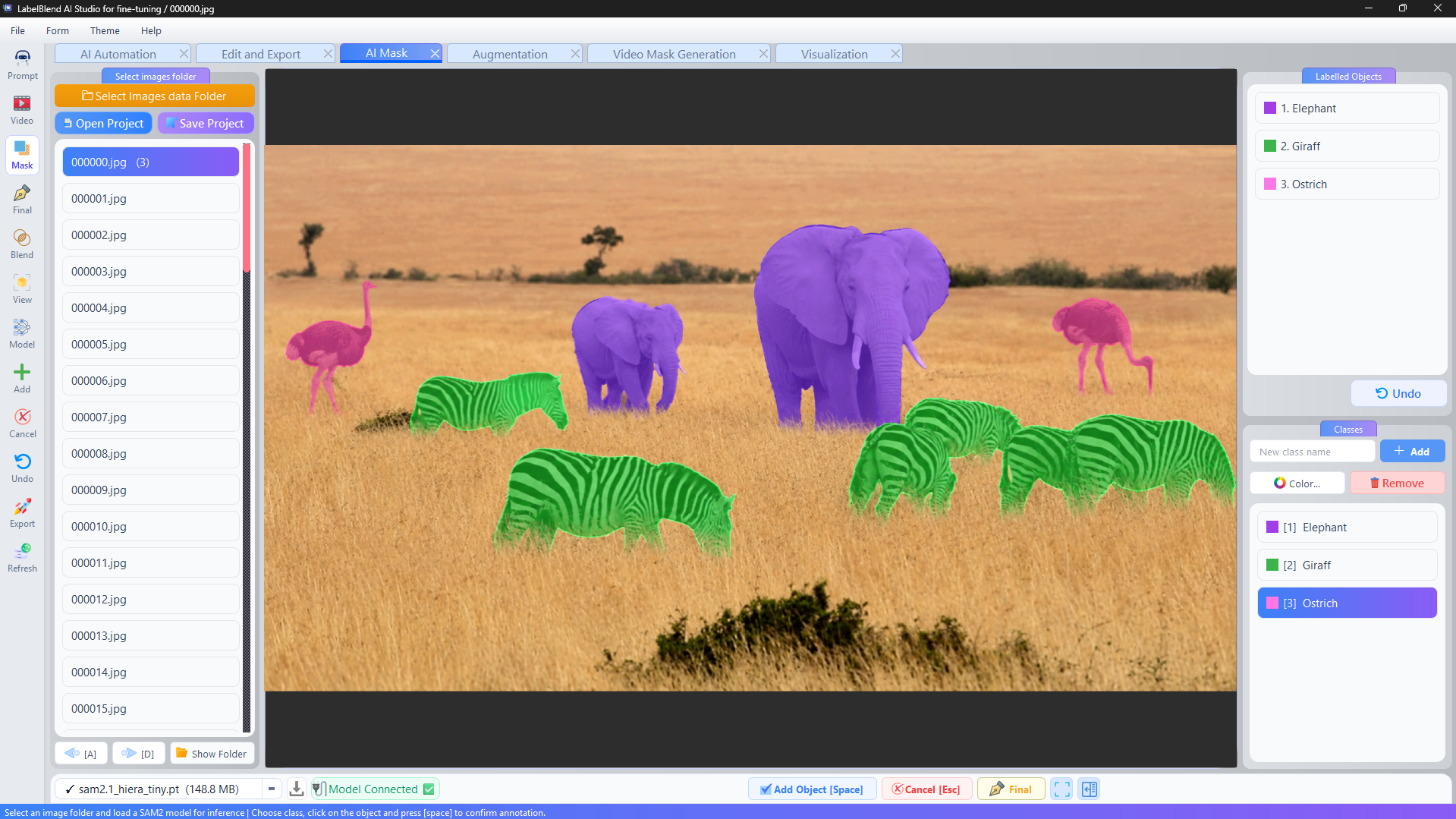
AI-Assisted Segmentation with SAM2.
Connect a SAM2 checkpoint, click on an object, and the model proposes a mask. Add the object to the class list, confirm it, and continue. Model files are downloaded and managed inside the application, and you choose which checkpoint and config to load.
Use case: instance segmentation work where drawing polygons by hand would be the slowest part of the project.
- Load model→
- Click object→
- Mask proposal→
- Confirm
Describe What You Need. Automate the Repetition.
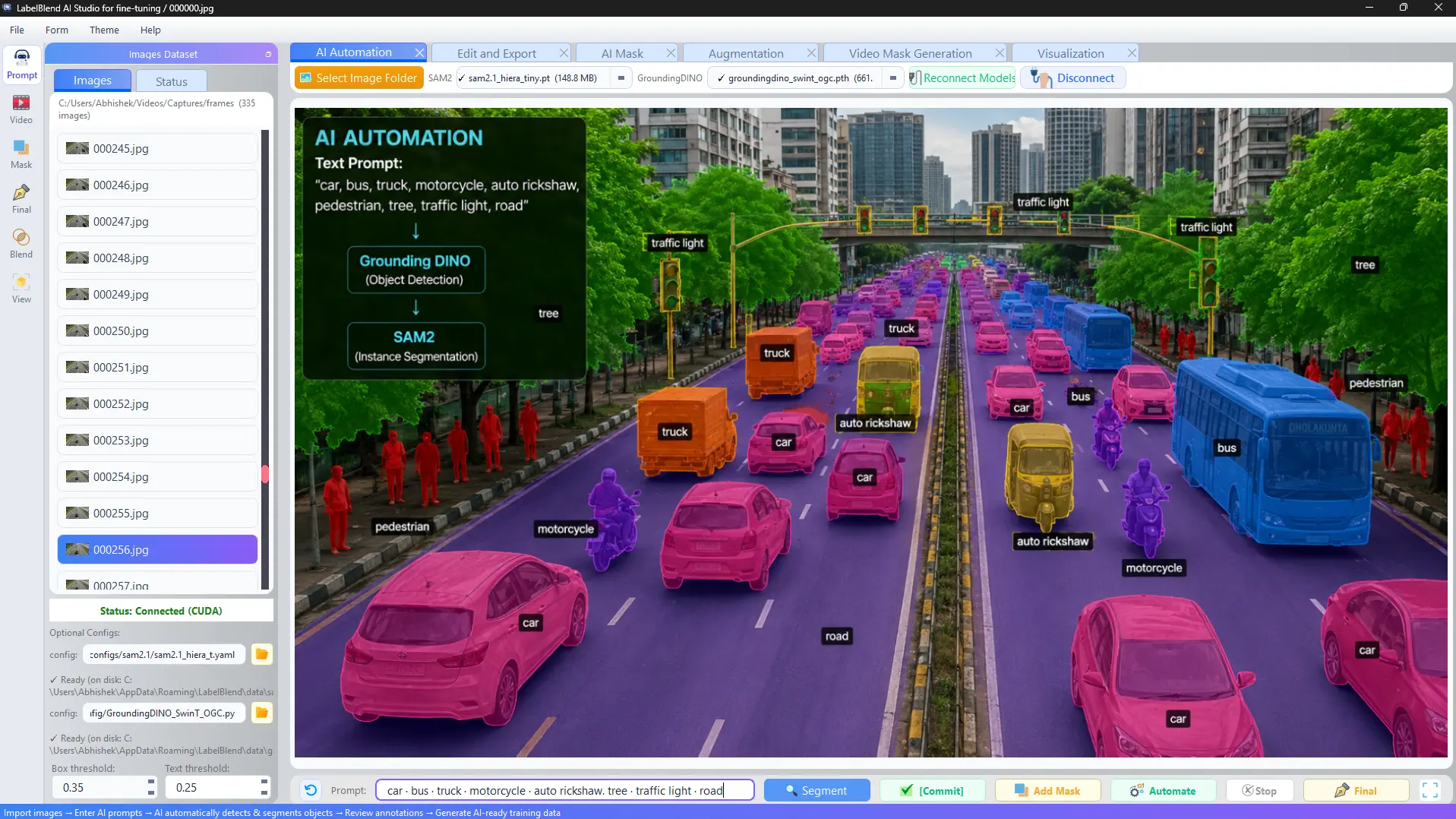
Type a prompt such as “car. person. traffic light.” and the prompt-driven workflow proposes labelled regions for those phrases across your images. Box and text thresholds are adjustable so you can tune how conservative the proposals are.
Use case: bootstrapping a multi-class dataset when the classes can be described in plain language.
- Prompt→
- Multi-class labeling→
- Review→
- Annotated dataset
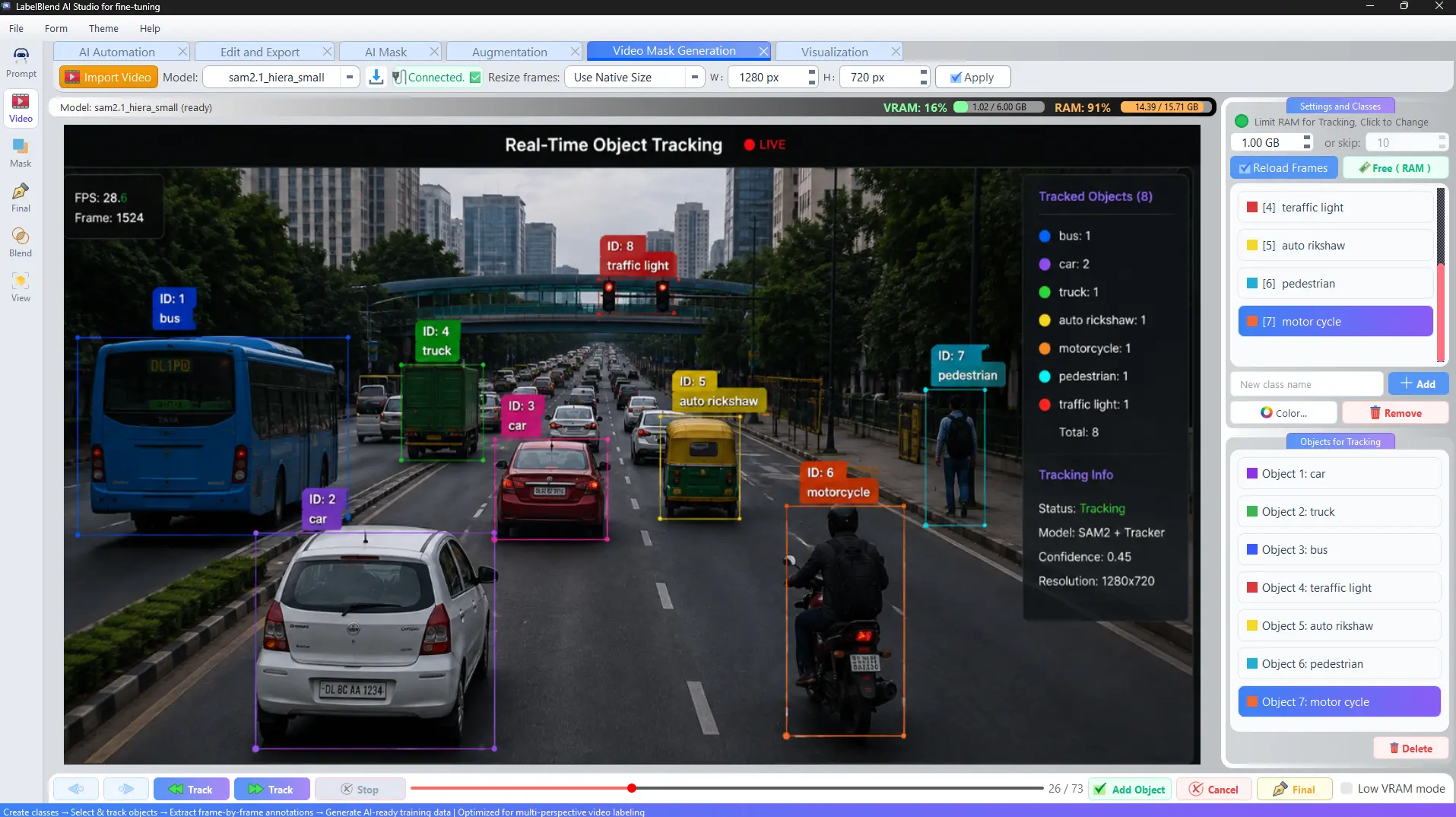
Turn Video into Training Data.
Import a video, load frames with an explicit RAM budget or frame-skip, select the objects you care about, and track them across frames with SAM2. The result is a sequence of annotated frames you can review and export like any other dataset.
Use case: converting a few minutes of recorded footage into hundreds of labelled frames.
- Video→
- Object selection→
- Tracking→
- Frame generation→
- Dataset
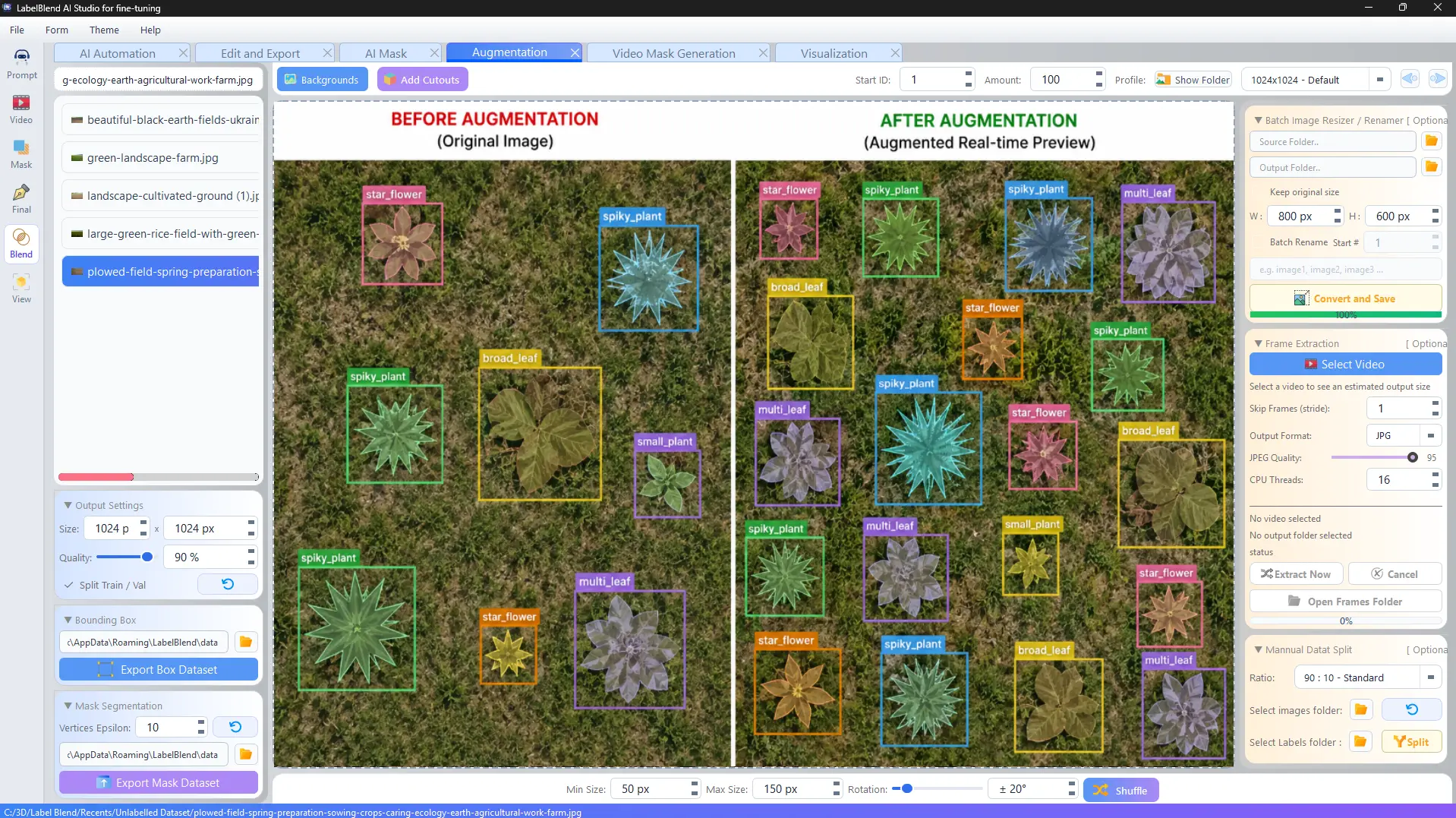
Create More Training Data from What You Already Have.
Combine object cutouts with background images, then control scale, rotation and how many composites to generate. Annotations for every placed object are written automatically, so synthetic images arrive already labelled.
Use case: rare classes with only a handful of real photographs.
- Cutouts + backgrounds→
- Scale & rotation→
- Composition→
- Synthetic dataset
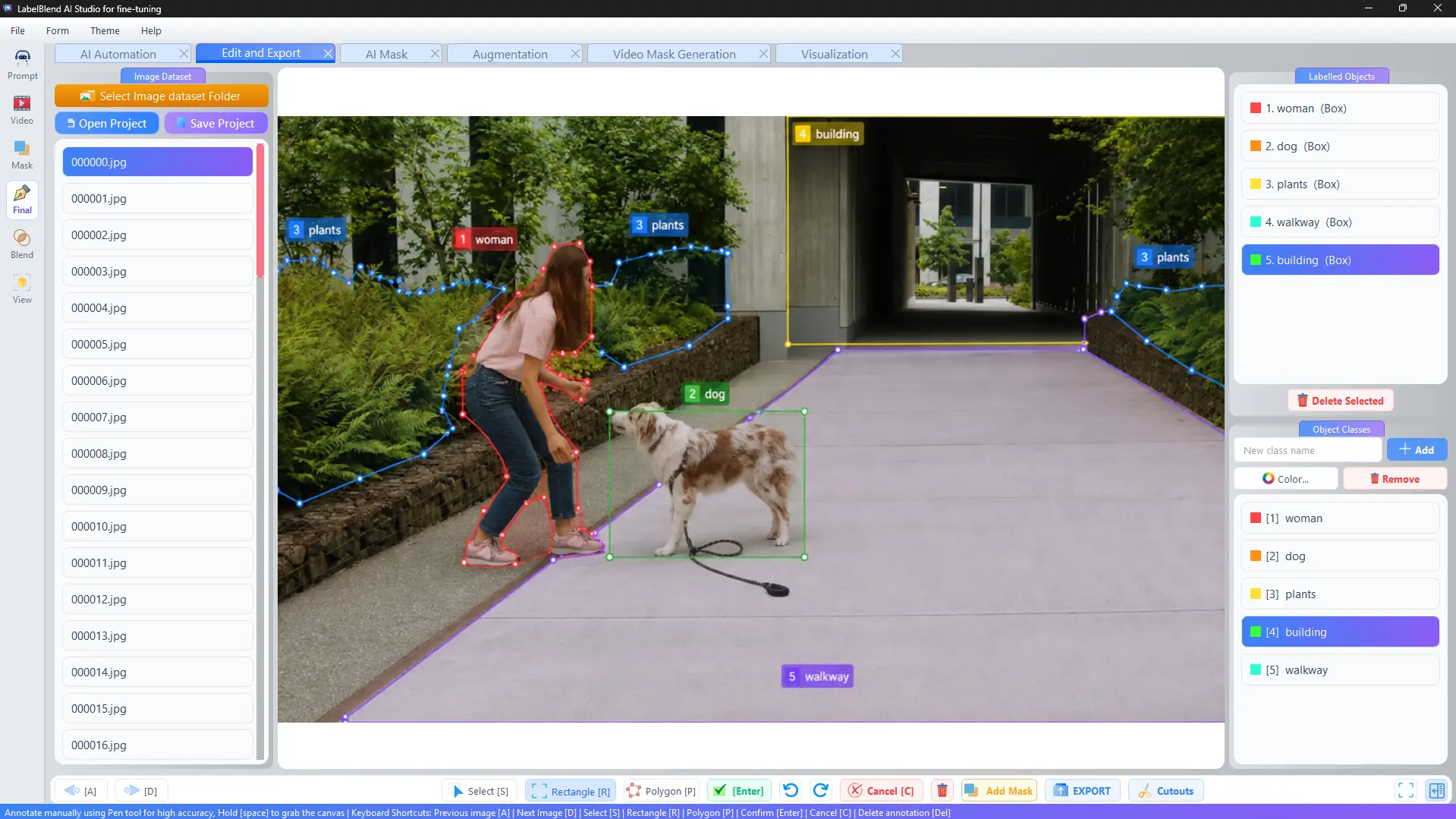
AI Does the First Pass. You Refine the Result.
The editor supports rectangles, polygons and pen-based refinement with keyboard shortcuts for moving between images, confirming and cancelling. Object classes carry colours so mistakes are visible at a glance.
Use case: correcting a batch of AI proposals before the dataset is exported.
- Open dataset→
- Select annotation→
- Refine→
- Confirm
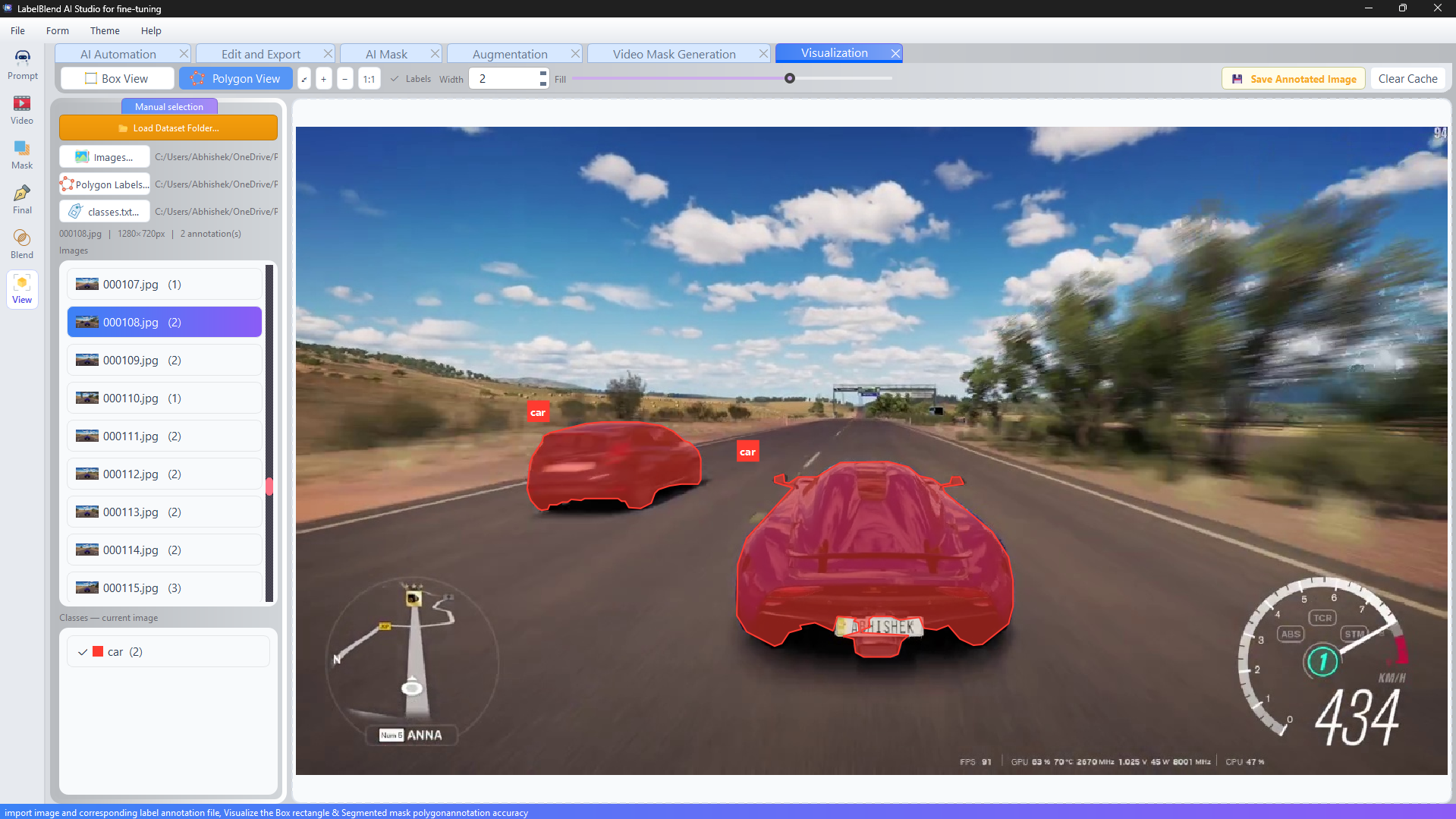
Review Your Dataset Before You Train.
Load an images/labels/classes folder and the viewer detects the structure, rendering boxes or polygons over each image with adjustable line width and fill opacity. Annotated previews can be saved out for reports.
Use case: a final quality pass before a training run.
- Load dataset folder→
- Inspect overlays→
- Fix issues→
- Approve
Dataset Preparation and Export.
Batch resize and rename images, split into train and validation sets with a configurable ratio, set output size and quality, and export box or mask datasets to a folder you choose.
Use case: producing a consistent dataset layout that a training script can read directly.
- Organise→
- Batch process→
- Split→
- Export
Dark and Light Themes.
A professional dark engineering theme for long labelling sessions, and a modern light productivity theme when you are working in a bright room or presenting results.
Use case: matching the workspace to your environment without losing contrast on overlays.
- Theme menu→
- Light→
- Dark
Manual annotation
Rectangles, polygons, pen refinement, per-class colours.
AI assistance
SAM2 masks, prompt-driven labelling, video tracking.
Dataset tooling
Batch processing, split, validation, box and mask export.
Try LabelBlend on your own images
Install the application, point it at a folder and see how the workflow fits your project.